Guides
The honest guide to livestream creator production setup
A livestream creator production setup starts with the platform, then the camera, microphone, audio, lighting and encoder that platform rewards, not a shopping list.
What to take away
- A livestream creator production setup starts with the platform. Twitch, YouTube Live and TikTok Live each set their own resolution, bitrate and payout terms, and your gear list follows from that choice.
- Audio outranks camera. A Shure MV7 or Rode PodMic on a Focusrite Scarlett Solo fixes the complaint viewers actually type.
- OBS Studio is free and runs on Windows, macOS and Linux; Streamlabs Desktop and Restream add overlays and multistreaming on top of it.
- Budget the whole chaincamera, capture, lights, encoder, and the upload speed your bitrate needs.
- A single-camera build with a Logitech Brio 4K, a Shure MV7 and two lights typically runs $700 to $900. A two-camera mirrorless rig passes $2,500 before the computer.
- Read the FTC's endorsement guides before a sponsored stream, and confirm tax and contract terms with a CPA or attorney in your state.
Start with Twitch, YouTube Live or TikTok Live, not the shopping cart
Twitch, YouTube Live and TikTok Live each publish their own resolution, bitrate and payout terms. Read those pages before you buy anything, because the platform decides what your camera and encoder must do.
Platform specs and payout terms
Twitch
- 1080p60 bitrate
- ~6,000 Kbps
- Payout threshold
- $50
YouTube Live
- 1080p60 bitrate
- 4,500-9,000 Kbps
- Payout threshold
- $100
TikTok Live
- 1080p60 bitrate
- vertical 1080x1920
- Payout threshold
- own program
Twitch's encoder guidance puts 1080p at 60 fps near 6,000 Kbps. YouTube's published range for the same picture is 4,500 to 9,000 Kbps. TikTok Live leans vertical, at 1080x1920, because most of its viewers watch on a phone.
Payout timing differs too. Twitch pays out once a balance clears $50, and YouTube's AdSense threshold is $100. TikTok Live pays through its own program. Check each platform's current terms rather than a creator's summary of them.
Your upload link has to hold that bitrate with headroom. Run a speed test at the hour you actually stream, not at noon on a Tuesday. A 6,000 Kbps feed sits comfortably on a 10 Mbps upload.
The camera and capture chain
A webcam plugs straight into the computer. A mirrorless camera needs a capture card and, usually, a dummy battery or AC adapter so it does not die mid-stream.
| Piece | Named option | What it does | Who it suits |
|---|---|---|---|
| Camera | Sony ZV-E10 | Interchangeable-lens mirrorless with clean HDMI out, typically $600 to $700 body only | Hosts who want shallow depth of field |
| Camera | Logitech Brio 4K | USB webcam, no capture card needed, typically $200 | First setup, single camera |
| Capture | Elgato Cam Link 4K | Turns HDMI into USB for OBS, typically $130 | Any mirrorless or DSLR |
| Capture | Elgato HD60 X | Passthrough capture for consoles, typically $200 | Game streamers |
| Capture | Elgato Cam Link Pro | Four HDMI inputs in one PCIe card, typically $250 | Two and three camera rooms |
| Control | Elgato Stream Deck | Physical buttons for scenes and alerts, typically $150 | Streams with many scene changes |
Audio, lighting and the encoder
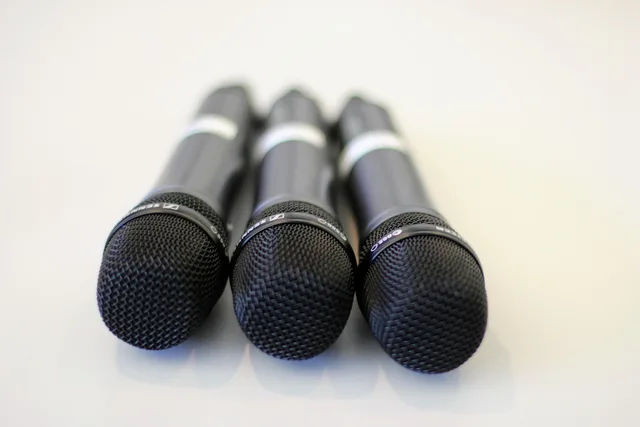
Audio is where viewers leave. A Shure MV7 runs about $250; a Rode PodMic about $100. Either one into a Focusrite Scarlett Solo, $120 to $140, gives a clean signal and a mute you can hit without looking. The GoXLR does the same job with faders and no software routing.
Two Elgato Key Light Airs at 45 degrees beat one panel behind you, and each lists near $130. A cheap ring light flattens the face and shows every wall behind it.
OBS Studio is free, open source, and runs on Windows, macOS and Linux. Streamlabs Desktop wraps OBS with built-in alerts and themes. Restream sends one feed to several platforms at once, which is the usual reason a host stops using OBS alone.
Your encoder setting is the one that breaks streams. H.264 over NVENC on an Nvidia card offloads the work; x264 on the CPU is fine only if you have cores to spare. Set rate control to CBR and the keyframe interval to 2, which is what Twitch and YouTube expect.
A worked example: a two-camera interview setup
Say you stream two guests twice a week for ninety minutes. Here is what that build looks like:
A two-camera interview setup
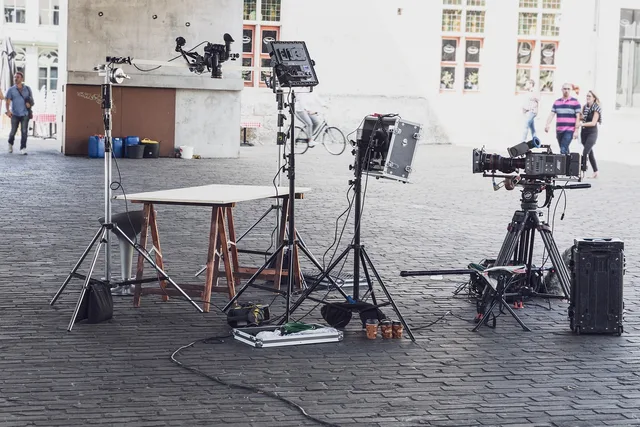
- Two Sony ZV-E10 bodies on tripods, each into its own Elgato Cam Link 4K, roughly $1,500 to $1,600 for the pair with capture cards.
- Two Shure MV7 microphones into a Focusrite Scarlett 18i8, one channel per guest, around $850 with the interface.
- Two Elgato Key Light Airs on each side of the frame, plus one behind for separation, about $650 at current retail.
- OBS Studio on a desktop with an Nvidia GPU, encoding with NVENC at 6,000 Kbps.
- A wired ethernet run to the router, and a phone hotspot as the backup.
Total cost depends on what you already own, so price each line at current retail rather than trusting a bundle. A build like this lands near $3,000 before the computer, desk and cables. Every item has a job and a failure mode you can name.
Sponsorships, disclosures and the money side
A sponsorship is priced as a flat fee, a CPM against average concurrent viewers, or an affiliate split. Sponsors ask for the same three numbers: average concurrent viewers, 30-day retention, and audience geography.
On channels holding a few hundred concurrent viewers, typical flat fees run from a few hundred dollars a stream into the low thousands. CPM deals pay less per viewer, and the rate moves with category and audience location.
Before a paid stream, read the Federal Trade Commission: Endorsements, Influencers, and Reviews guidance. A material connection to a sponsor needs clear disclosure in the stream and in the description.
The Federal Trade Commission: Advertising FAQs: A Guide for Small Business covers truthful claims and substantiation. If you say a product does something, you need a basis for saying it.
Income from a sponsor usually arrives on a 1099-NEC. Ask a CPA about quarterly estimates in your state; entity choice and sales tax vary by jurisdiction and are not something a guide can settle.
Keep the workspace and the books safe
Your setup is a workplace. Cables across a walking path, a hot light next to fabric, and a tripod in a doorway are the common failures. The Occupational Safety and Health Administration: Safety Management outlines finding and fixing hazards before they cause injury.
Keep a simple asset list: what you own, what it cost, when you bought it, and when it fails. That list feeds depreciation, insurance claims and your next upgrade decision.
For the wider build order and the tools that pair with each stage, see this livestream creator production toolkit guide.
Common questions
What is the minimum setup to start streaming?
A Logitech Brio 4K, a Shure MV7 on USB, two Elgato Key Light Airs and OBS Studio on a wired connection. That covers camera, audio, light and encoding without a capture card, usually for $700 to $900.
Do I need a capture card?
Only if you use a mirrorless or DSLR camera, or a console. A USB webcam and a USB microphone need none.
How much upload speed do I need?
Enough to hold your platform's bitrate with headroom. Twitch's 1080p60 guidance is about 6,000 Kbps, so test your upload at the hour you stream.
Can I stream to Twitch and YouTube at once?
Yes, with Restream or a similar service, but check each platform's current terms and your sponsorship contract's exclusivity clause first.
What does a full livestream setup cost?
Entry webcam builds land near $700 to $900. Add a mirrorless body, a capture card and a second microphone, and the total passes $2,500 before the computer, desk and cables.